
Voice Library
Browse, preview, favourite, clone, and set default TTS voices for your voice agents
Voice Library (Agent Setup → Voice Library) is the catalog of text-to-speech voices your organization can use on any voice configuration, across every agent. It's separate from picking a voice on a specific agent — this is where the full catalog lives, and where you manage your own cloned voices.
Browsing voices#
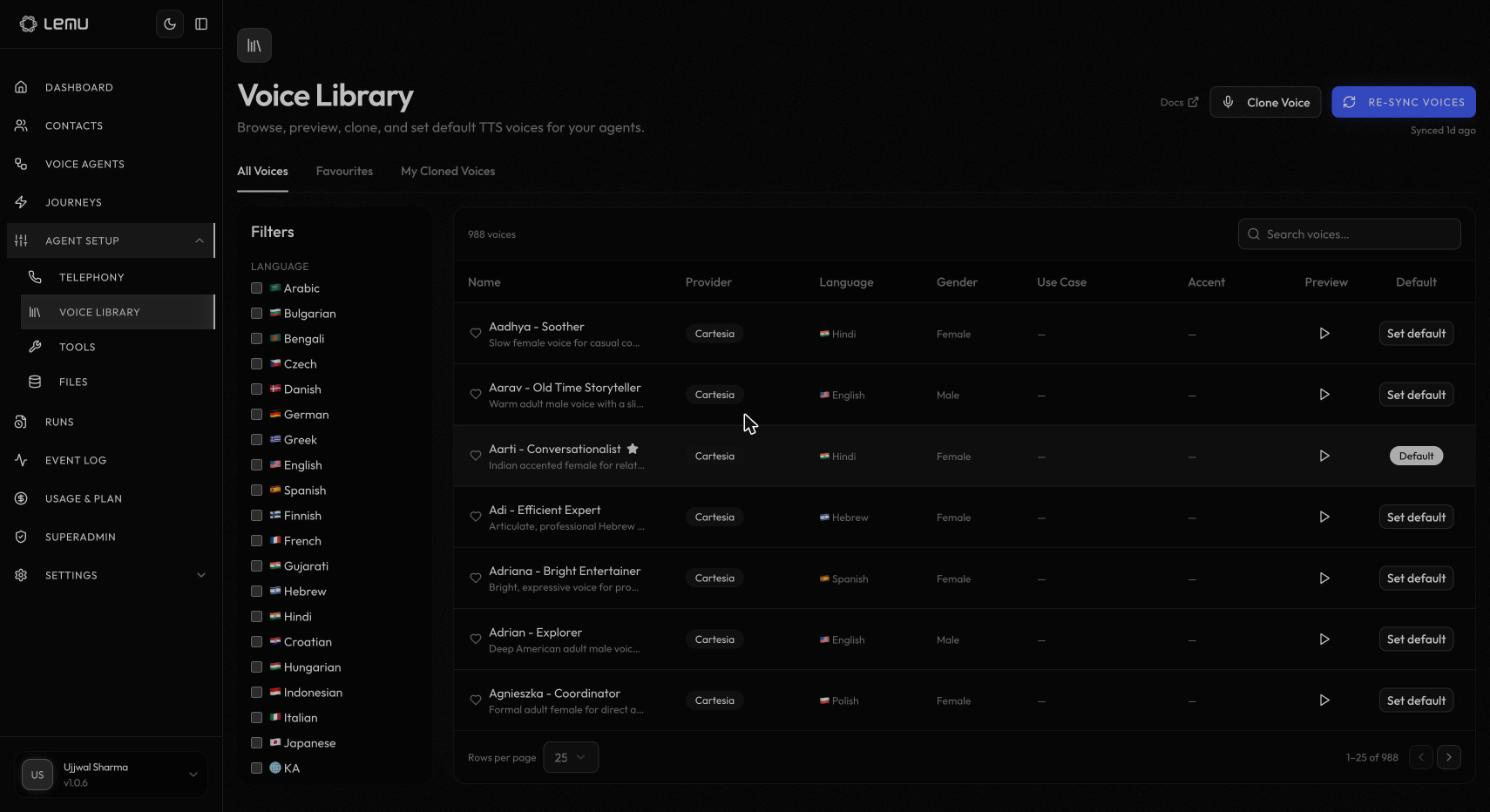
The catalog lists every available voice with its provider, language, gender, use case, and accent, and a Preview button to hear a sample before committing to it. Use the language filters in the sidebar or the search box to narrow the list — the catalog runs into the hundreds of voices across dozens of languages, so filtering by language is usually the fastest way to find a fit.
Three tabs organize the view:
- All Voices — the full catalog.
- Favourites — voices you've starred with the heart icon, for quick access when configuring an agent.
- My Cloned Voices — voices your organization has cloned (see below).
Each voice has a Set default action; the current org-wide default is marked Default. This is the voice new agents fall back to before you explicitly pick one on their Voice configuration.
Re-sync Voices pulls in any new voices your TTS providers have added since the catalog was last refreshed — the page shows how long ago it last synced.
Cloning a voice#
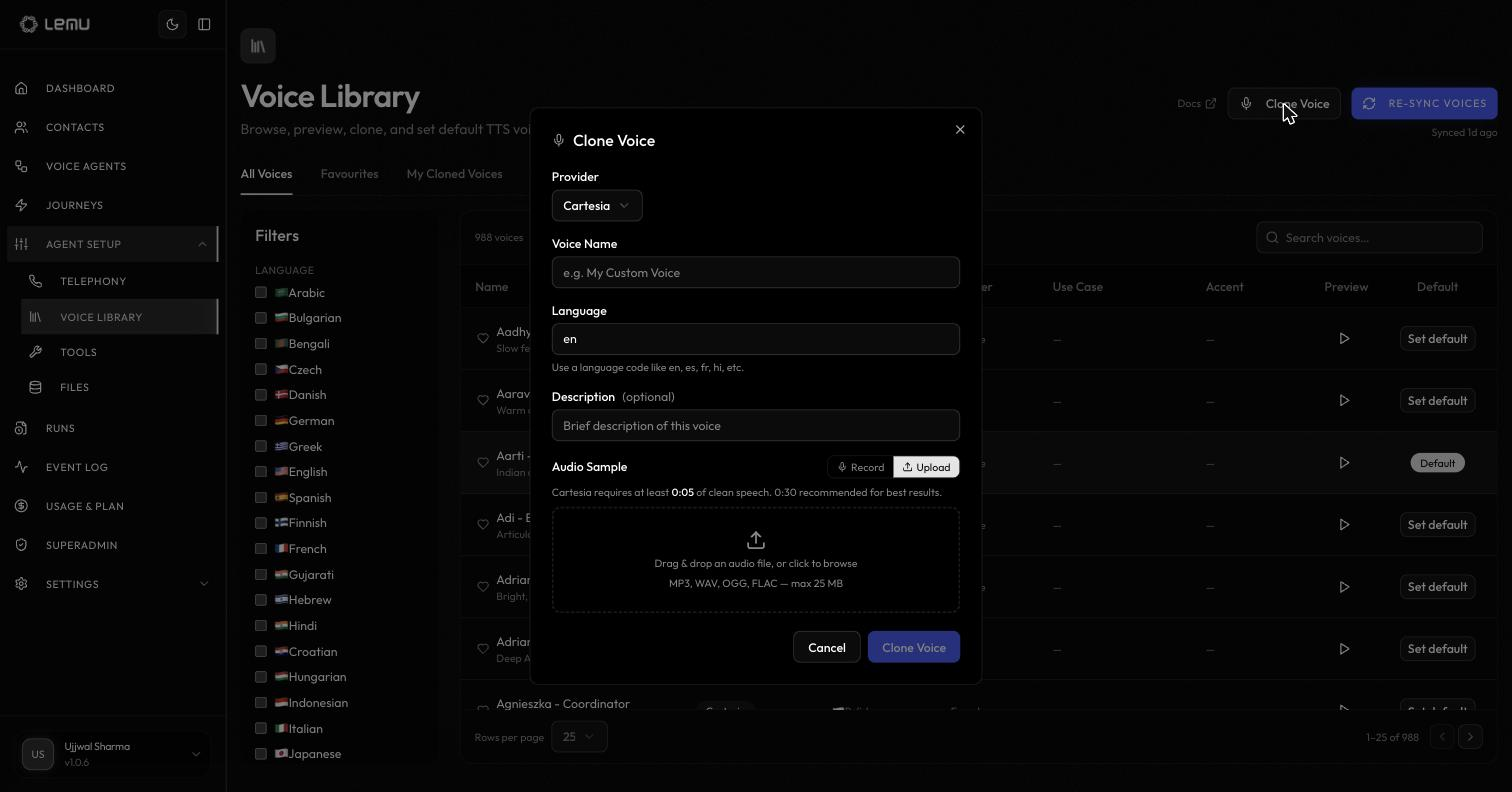
If your plan includes voice cloning (Growth and above), Clone Voice lets you create a custom voice from an audio sample:
| Field | Description |
|---|---|
| Provider | The TTS provider to clone through (currently Cartesia) |
| Voice Name | A name for the cloned voice |
| Language | A language code, e.g. en, es, fr, hi |
| Description | Optional, free text |
| Audio Sample | Record directly or upload an MP3, WAV, OGG, or FLAC file, up to 25 MB. At least 5 seconds of clean speech is required; 30 seconds is recommended for the best clone quality |
Cloned voices appear under My Cloned Voices and can be used on any agent's voice configuration exactly like a catalog voice — set as the org default, favourited, and previewed the same way.
Voice cloning is gated by the voice_cloning entitlement. On a plan without it, Clone Voice shows an upgrade prompt — see Usage & Plan for what each plan includes.