
Overview
Connect Slack, Jira, Google Calendar, Zoho Books, and Google Sheets to your journeys and contacts
Integrations connect a third-party app to your organization so it can be used from journeys and, for two providers, kept in sync with your contacts. Manage them from Settings → Integrations in the dashboard.
Connecting is OAuth-based — clicking Connect opens a popup where you sign in to the provider and grant access. Lemu never sees or stores your provider password.
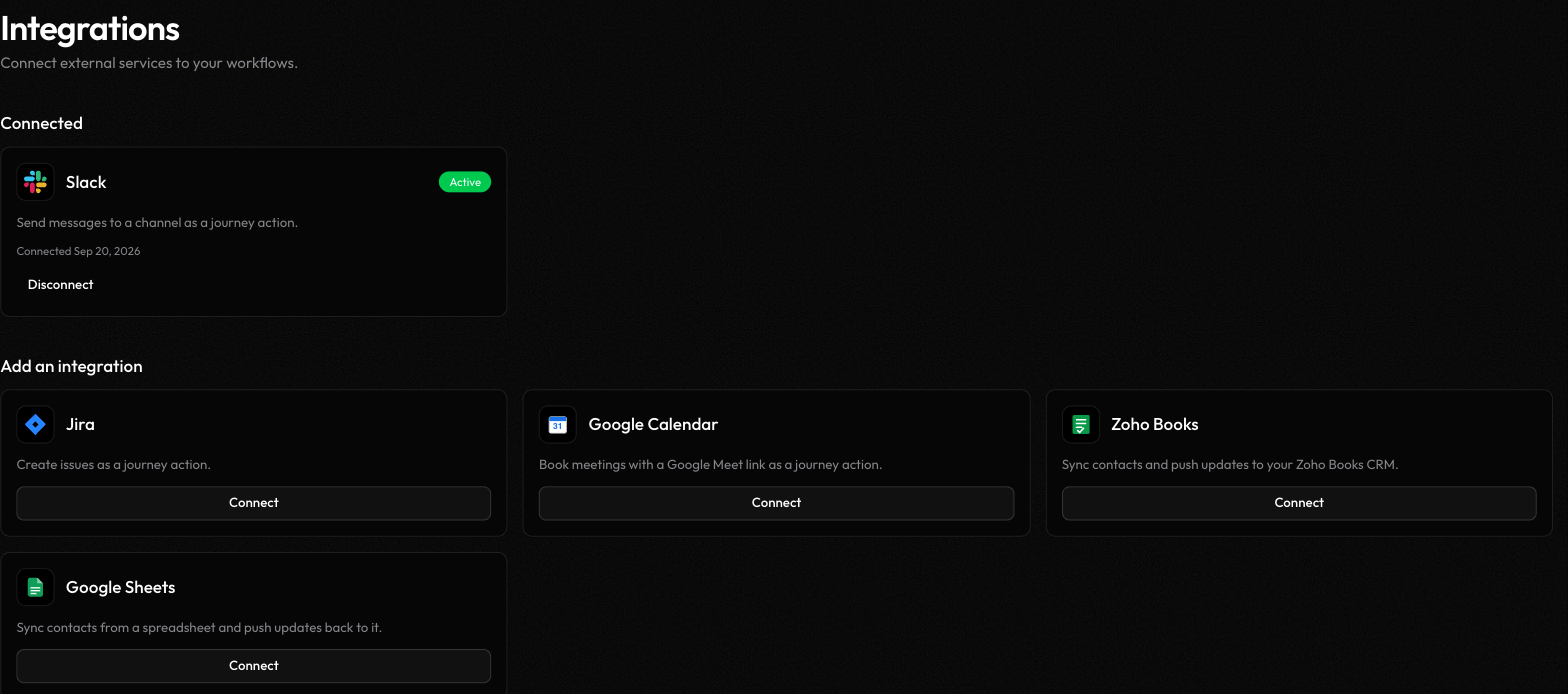
Available integrations#
Slack
Send a message to a channel as a journey action
Jira
Create an issue as a journey action
Google Calendar
Book a meeting with a Google Meet link as a journey action
Zoho Books
Sync contacts and push updates to your Zoho Books CRM
Google Sheets
Sync contacts from a spreadsheet and push updates back to it
Two kinds of integration#
| Kind | Providers | What it's for |
|---|---|---|
| Action | Slack, Jira, Google Calendar | Adds a node to the journey canvas — send a Slack message, create a Jira issue, or book a Google Calendar event as one step in a journey |
| Data source | Zoho Books, Google Sheets | Syncs contacts into Lemu (new/changed rows become contacts) and can push a contact's updates back out to the connected sheet or CRM |
An action integration doesn't touch your contacts — it's purely something a journey can do. A data-source integration is the reverse: it's about keeping your contact list current, not about acting inside a call or journey.
Connecting#
- On Settings → Integrations, find the provider under Add an integration and click Connect.
- Jira asks for your site's subdomain first (e.g. enter
acmeif your Jira URL isacme.atlassian.net) before continuing to OAuth. Every other provider goes straight to the OAuth popup. - Complete the provider's sign-in and consent screen in the popup. Lemu polls in the background and closes the popup automatically once the connection is confirmed active — you don't need to do anything else in the main window.
- Zoho Books additionally asks you to pick which Zoho organization to sync, if your account has more than one (skipped automatically if you only have one).
- Google Sheets additionally asks you to search for and pick a spreadsheet, then confirm how its columns map to contact fields — see Google Sheets for that step in detail.
Integrations are a plan entitlement — your plan caps how many you can have connected at once. If you're at the limit, connecting a new one prompts you to upgrade or disconnect another first.
Disconnecting and reconnecting#
Click Disconnect on a connected provider's card to remove it. This fully revokes the underlying connection, not just hides it in Lemu — so if a journey node or data sync depended on it, that stops working until you reconnect.
If Lemu reports an integration doesn't have enough access (for example, a Google Sheets scope was denied at connect time), disconnect and reconnect it: connecting again after a full disconnect always shows a fresh consent screen, so you can grant the missing permission. Reconnecting without disconnecting first can silently reuse the old, insufficient connection instead of prompting for new consent.