
Vobiz Integration
Configure Vobiz for voice communication in Lemu AI
Overview#
Vobiz is a cloud-based telephony service provider that offers global reach with competitive pricing. Lemu AI's Vobiz integration provides reliable voice connectivity for your conversational AI agents.
Prerequisites#
Before setting up Vobiz integration, you'll need:
- A Vobiz account
- Auth ID from your Vobiz dashboard
- Auth Token generated for your account
- At least one configured phone number in your Vobiz account
- Lemu AI instance running and accessible
Configuration#
Step 1: Get Vobiz Credentials#
- Sign up for a Vobiz account
- Log in to your Vobiz dashboard
- Navigate to your account settings to find your Auth ID
- Generate an Auth Token for API access
- Configure phone numbers in your Vobiz account for outbound calling
Step 2: Configure in Lemu AI#
- Go to Configuration in the sidebar → Telephony tab
- Select Vobiz as your provider
- Enter your credentials:
- Auth ID
- Auth Token
- From Phone Number (with country code, e.g., +1234567890)
- Click Save Configuration
Vobiz provides cloud-based telephony services with global reach and competitive pricing.
Step 3: Test Your Configuration#
- Create a test workflow
- Click "Test Call" to verify connection
- Check call logs for successful connection
Inbound Calling Setup#
To enable inbound calling with Vobiz:
- Complete Telephony Configuration: Use the same Configuration steps above
- Get Your Workflow Webhook URL: Find your workflow ID and construct the webhook URL as:
https://app.lemuai.com/api/v1/telephony/inbound/{workflow_id}
Configure Application in Vobiz Console#
Vobiz requires creating an XML application to handle inbound calls. Follow these steps:
-
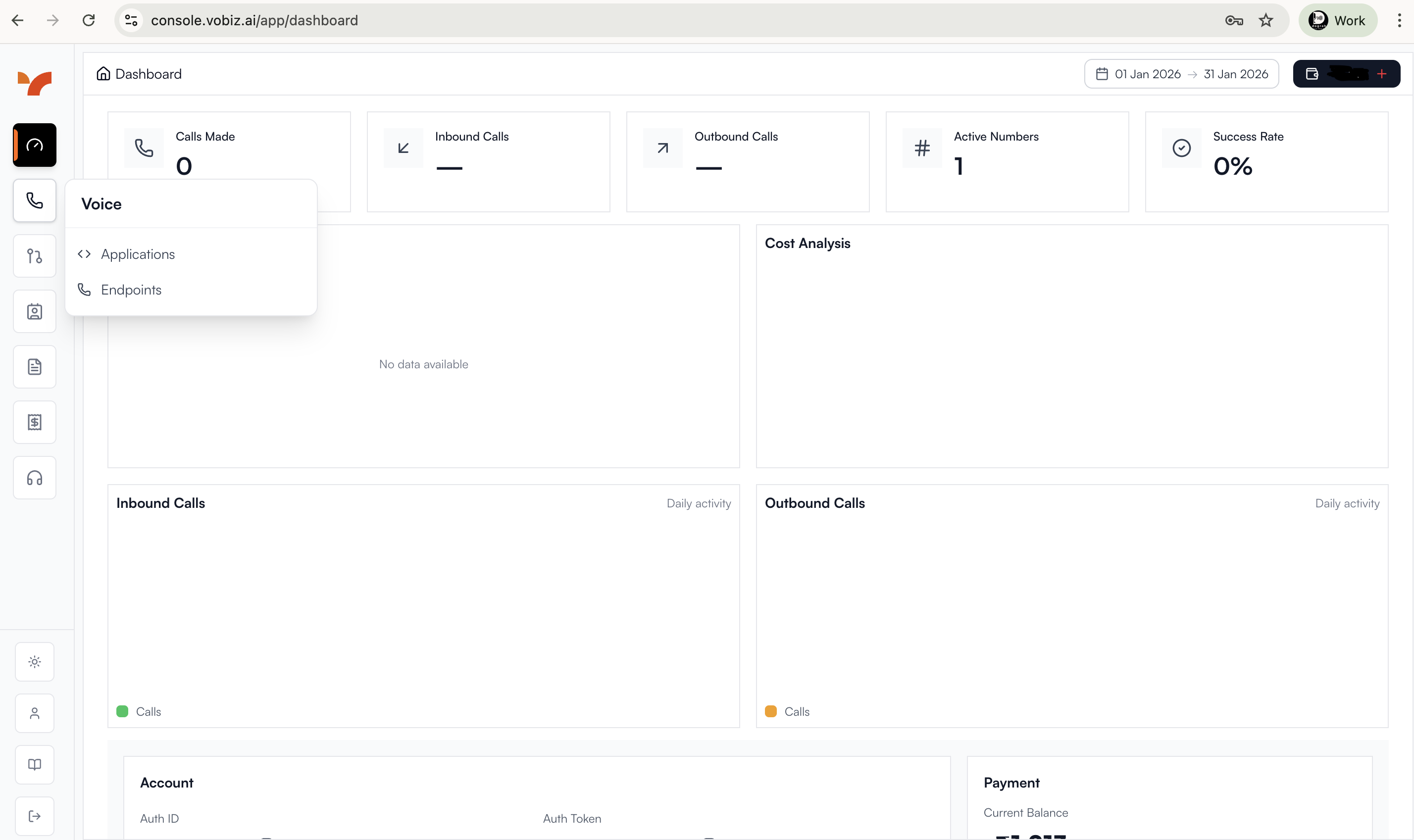
Navigate to Applications:
- Log in to your Vobiz Console
- Navigate to the Applications section
-
Create New Application:
- Click Create New Application
- Configure the XML application with the following URLs:
- Answer URL:
https://app.lemuai.com/api/v1/telephony/inbound/{workflow_id} - Hangup URL:
https://app.lemuai.com/api/v1/telephony/vobiz/hangup-callback/workflow/{workflow_id} - Fallback Answer URL:
https://app.lemuai.com/api/v1/telephony/inbound/fallback
- Answer URL:
- Save the application
Replace
{workflow_id}with your actual workflow ID.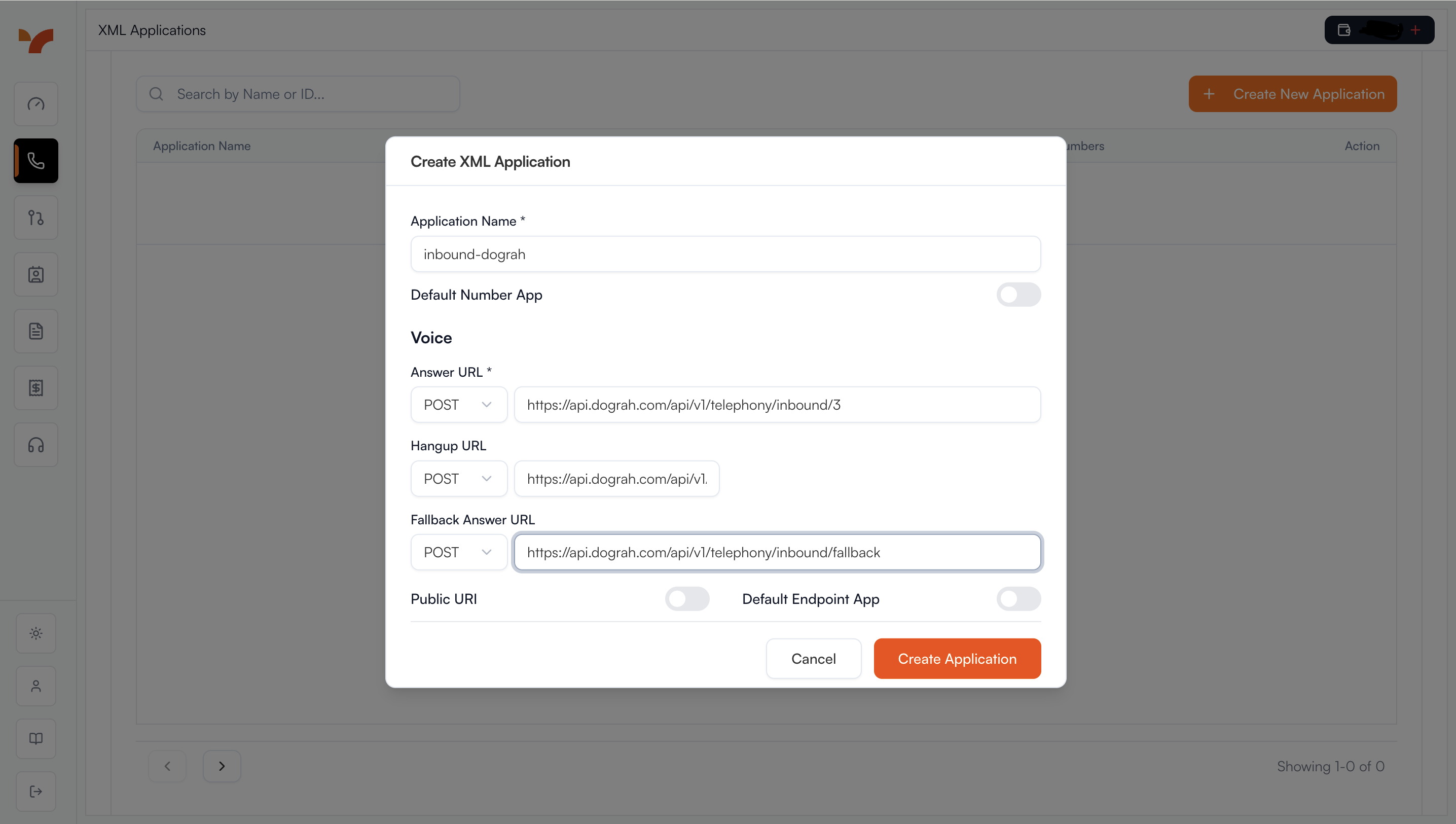
-
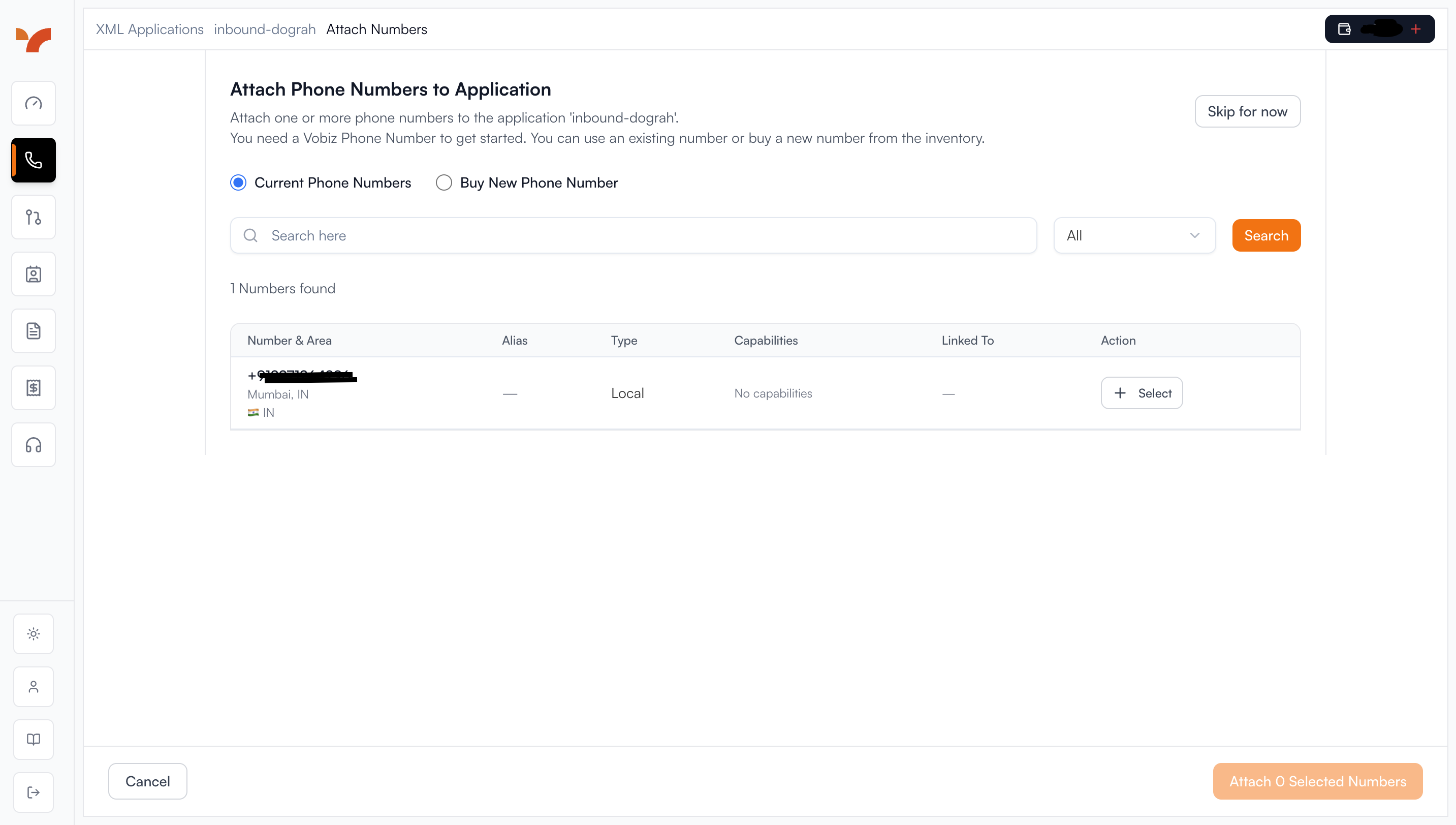
Attach Phone Number:
- After saving the application, edit it to attach a phone number
- Select the phone number you want to use for inbound calls
- Link it to your created application
-
Verify Setup:
- Ensure your Lemu AI instance is publicly accessible
- Verify any firewalls allow Vobiz's webhook requests
Test Inbound Calling#
- Call your configured Vobiz phone number from another phone
- Verify your Lemu AI voice agent answers and responds
- Check call logs in both Lemu AI dashboard and Vobiz dashboard
Troubleshooting#
Best Practices#
- Store credentials securely in the database
- Test your configuration with a single call before running campaigns
- Monitor Vobiz dashboard for usage and billing
- Keep your Auth Token secure and rotate it periodically