
Cloudonix Integration
Configure Cloudonix for voice communication in Lemu AI
Overview#
Cloudonix is a cloud communications platform that enables Lemu voice agents to connect to SIP communications platform, either on-premise or in the cloud. In addition, Cloudonix exposes a full set of voice APIs, that provide a full suite of call-control capabilities and more.
Prerequisites#
Before setting up Cloudonix integration, you'll need:
- A Cloudonix account
- A Cloudonix domain UUID (or the domain name)
- A Cloudonix domain API Key
- A Cloudonix outbound voice trunk service provider connection
- Lemu AI instance running and accessible
Configuration#
Step 1: Get Cloudonix Credentials#
- Log in to your Cloudonix Console
- Find your Domain UUID and Domain API Key on the dashboard
Step 2: Configure in Lemu AI#
- Go to Configuration in the sidebar → Telephony tab
- Watch the Cloudonix setup video tutorial above for detailed guidance
- Select Cloudonix as your provider
- Enter your credentials:
- Domain UUID
- Domain API Key
- Click Save Configuration
Step 3: Test Your Configuration#
- Create a test workflow
- Click "Test Call" to verify connection
- Check call logs for successful connection
Inbound Calling Setup#
The Lemu AI configuration for inbound calling is identical to outbound calling - use the same credentials configured above. However, you need additional setup in your Cloudonix Console to route incoming calls to Lemu AI.
Configure Inbound Trunk and Application#
-
Set Up Inbound Trunk:
- Log in to your Cloudonix Console
- Navigate to Trunks → Create Inbound Trunk
- Configure your inbound trunk with your voice service provider
- Ensure the trunk can receive calls to your desired phone numbers
-
Create Application for Your Domain:
- Select your domain in the Cloudonix Console
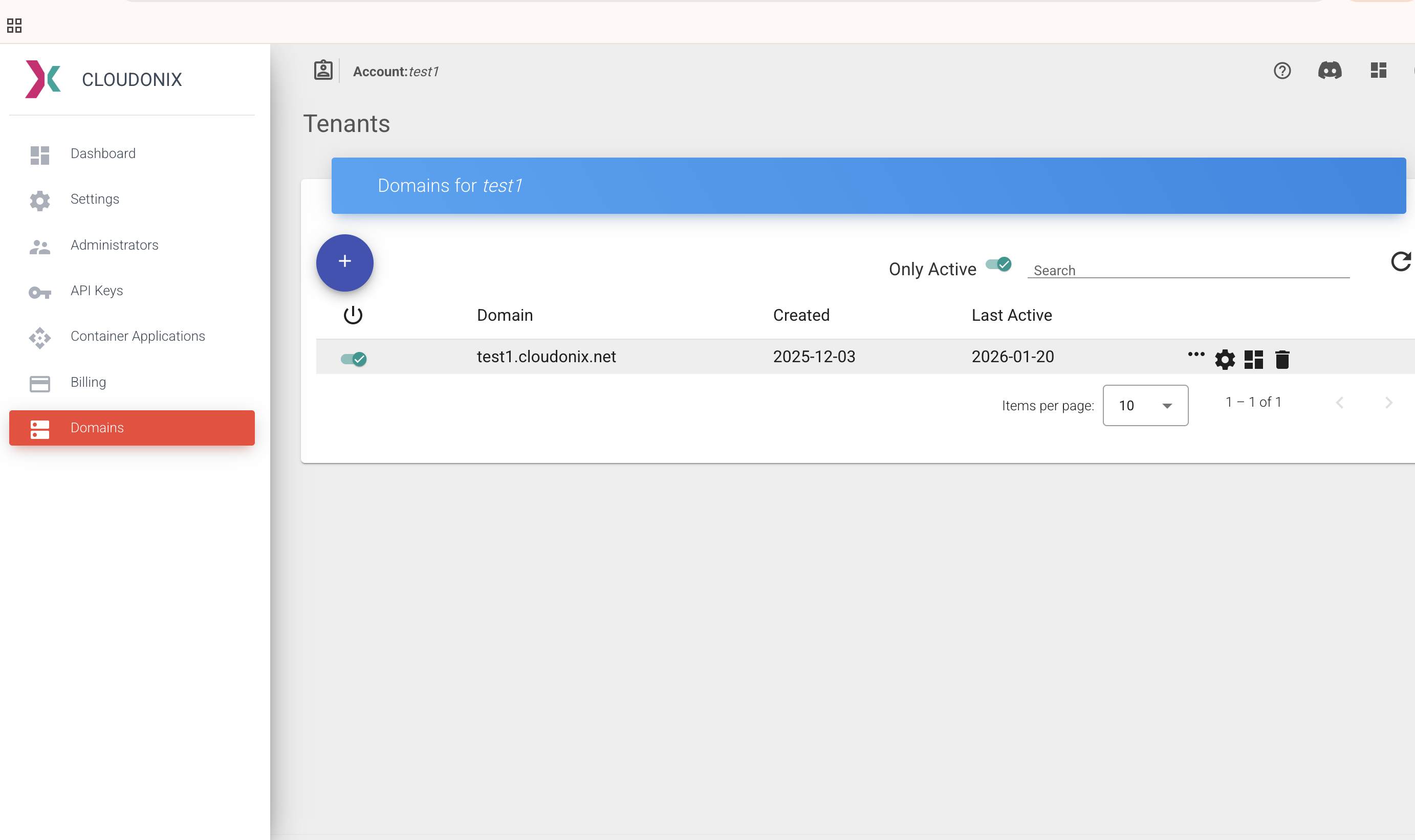
- Create a new application for your domain
- Set the webhook URL in the application:
https://app.lemuai.com/api/v1/telephony/inbound/{workflow_id}
Replace
{workflow_id}with your actual workflow ID.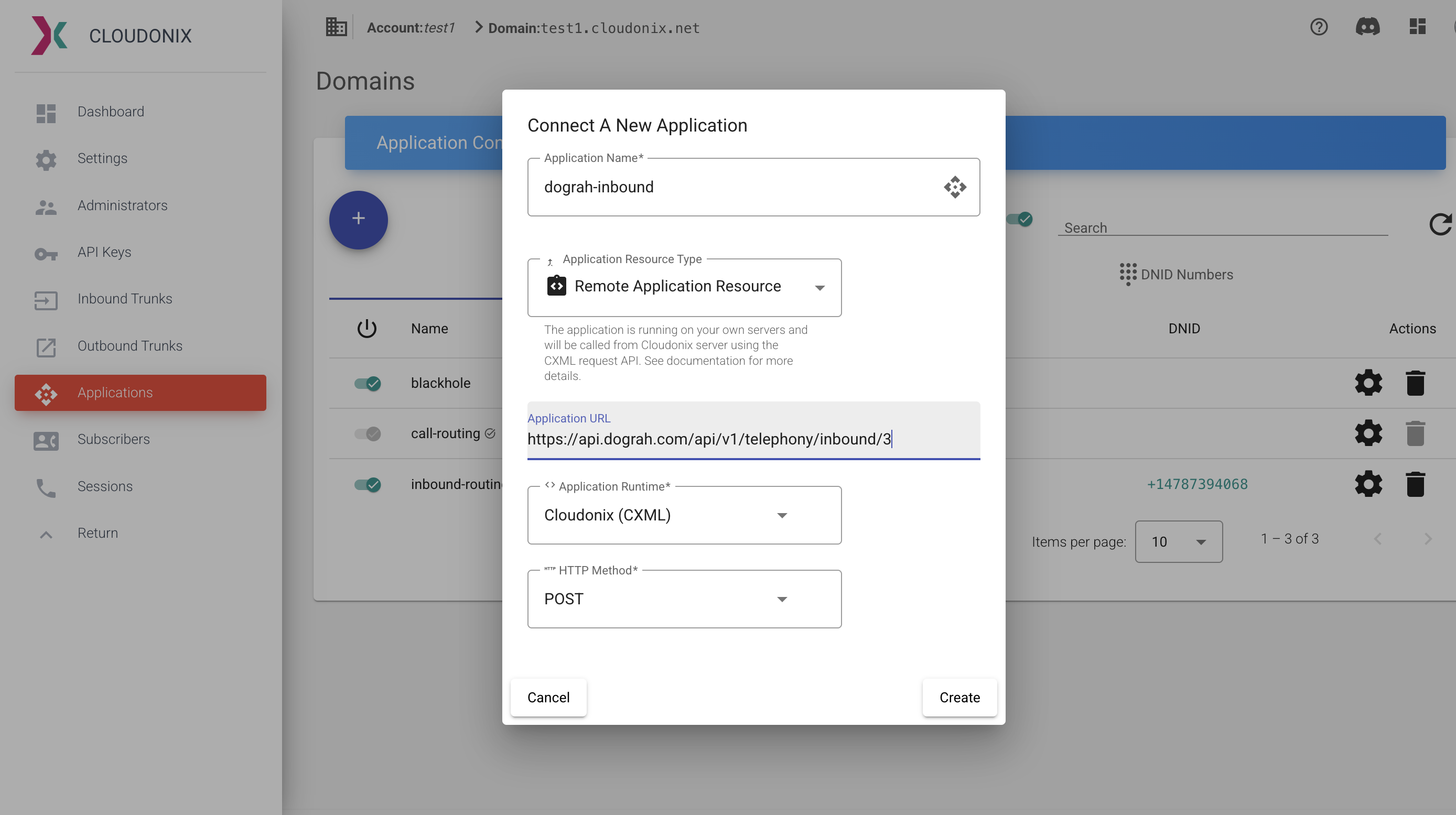
-
Verify Configuration:
- Ensure your Lemu AI instance is publicly accessible
- Test that webhook URL responds correctly
- Verify any firewalls allow Cloudonix's IP ranges
- Confirm your inbound trunk is active and receiving calls
Test Inbound Calling#
- Call your configured phone number from another phone
- Verify your Lemu AI voice agent answers and responds
- Check call logs in both Lemu AI dashboard and Cloudonix Console
- Confirm clear two-way audio communication
Troubleshooting#
Best Practices#
- Store credentials securely in the database
- Test your configuration with a single call before running campaigns
- Monitor Cloudonix Sessions for usage