
Context & Variables
How data flows into, through, and out of a conversation
Lemu has a simple data model for passing information through a call. Understanding it is key to building agents that feel personalised and to extracting useful results after a call.
The three context objects#
initial_context ──► Agent ──► gathered_context
                       │
                 [template variables](/voice-agent/template-variables)
                 (used in prompts)
initial_context#
Data available to the agent before the call starts — the contact's name, account details, appointment information, anything the agent should know upfront. It can be set from several places:
- API trigger — pass it in the request body when calling
POST /public/agent/{uuid}orPOST /telephony/initiate-call - Campaign CSV — columns beyond
phone_numberautomatically becomeinitial_contextfields for each contact's call - Dashboard — set default template context variables on the agent, used when no external context is provided
{
  "phone_number": "+14155550100",
  "initial_context": {
    "customer_name": "Jane Smith",
    "plan": "premium",
    "renewal_date": "April 1"
  }
}
Template variables#
Values from initial_context are available in your agent's prompt using {{double_brace}} syntax.
You are calling {{customer_name}} about their {{plan}} plan,
which renews on {{renewal_date}}. Be friendly and confirm
whether they'd like to continue.
When the call starts, Lemu substitutes the values before sending the prompt to the LLM — so the agent speaks naturally as if it already knows the contact.
gathered_context#
Data the agent collects during the call. You configure what to extract in the agent node's extraction settings — each variable has a name, type, and a prompt that tells the LLM what to look for.
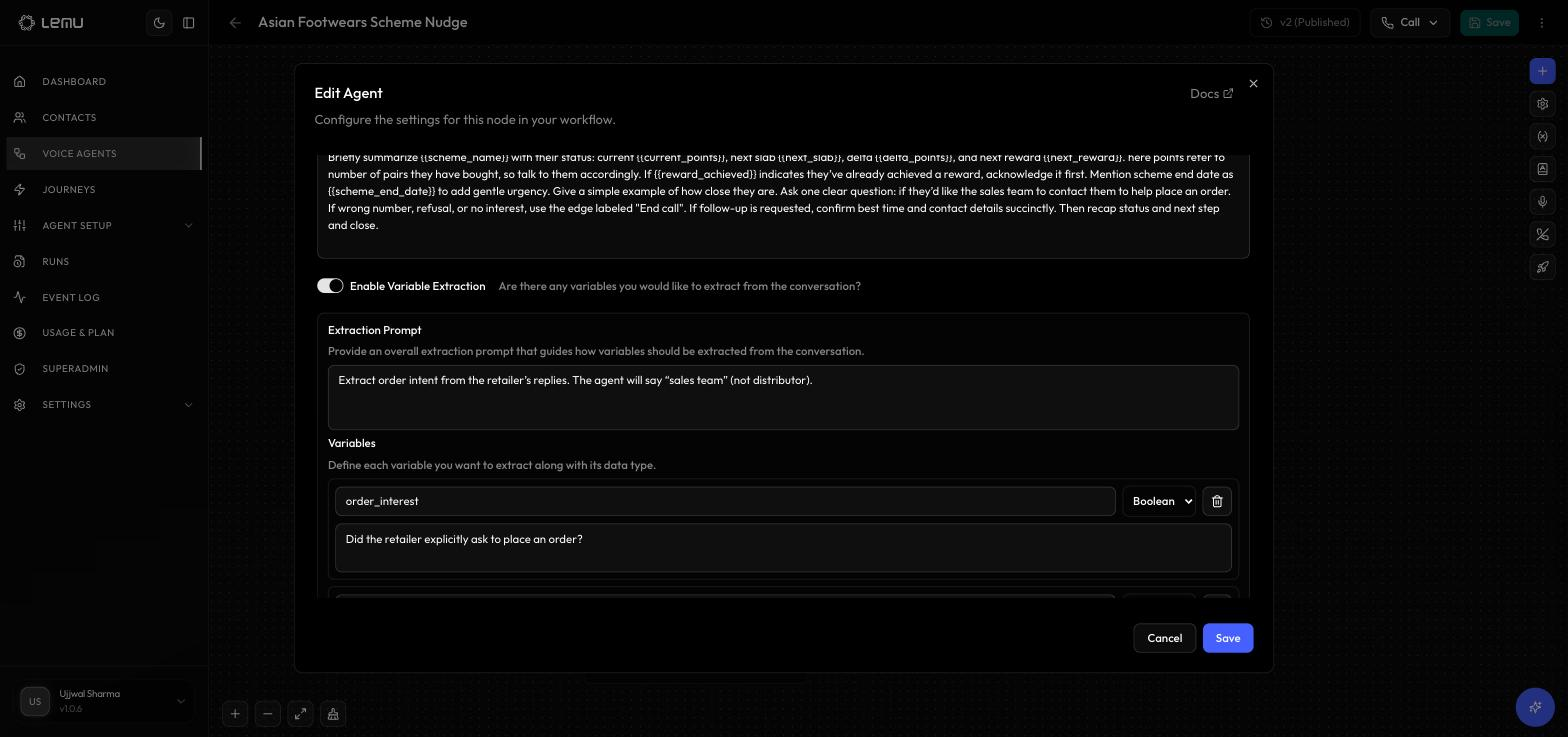
gathered_context is returned in the run record after the call completes and is available in webhook payloads for downstream processing.
Data flow example#
- 1
Your system sends initial_context (e.g. customer_name, plan)
- 2
Lemu substitutes placeholders into the agent prompt
- 3
LLM responds turn by turn
- 4
Lemu extracts gathered_context (e.g. renewal_confirmed)
- 5
Run record with gathered_context goes back to your system
Where variables are available#
| Location | Variables available |
|---|---|
| Agent node prompts | initial_context fields via {{variable_name}} |
| Edge conditions | Evaluated against the live conversation — no explicit variable syntax needed |
| Webhook payload templates | All context objects via {{initial_context.field}}, {{gathered_context.field}} etc. |
| Campaign CSV columns | CSV columns beyond phone_number become initial_context fields automatically |